Tools / Team Capacity Planner
Team capacity planner for Excel
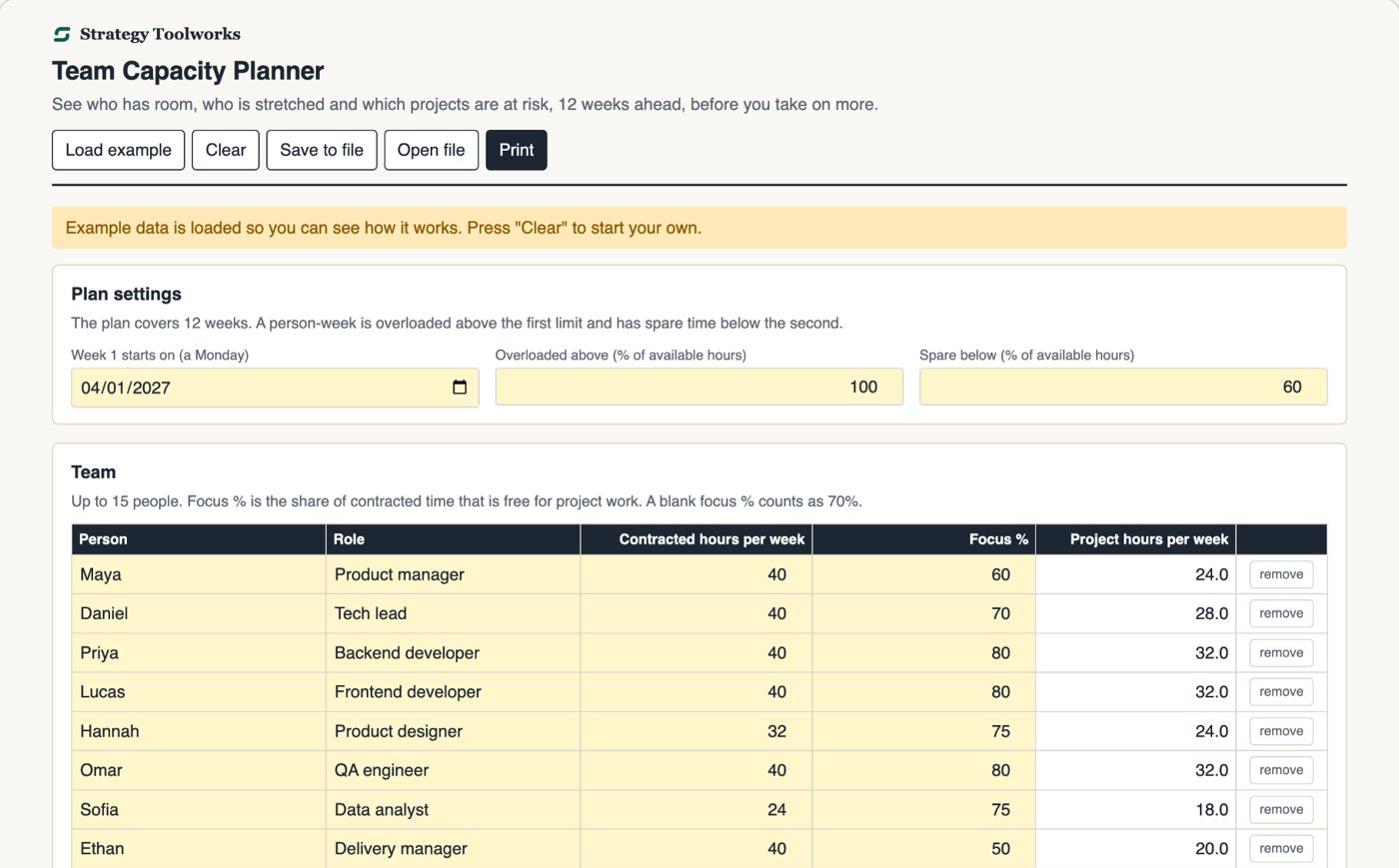
Can your team take on the next project? See who has room, who is stretched and which projects are at risk, twelve weeks ahead.
USD 29
See what is insideOpening on Etsy this week. Pay once, no subscription.What you get out of it
- Commit to new work with confidence: spare hours by person and by week.
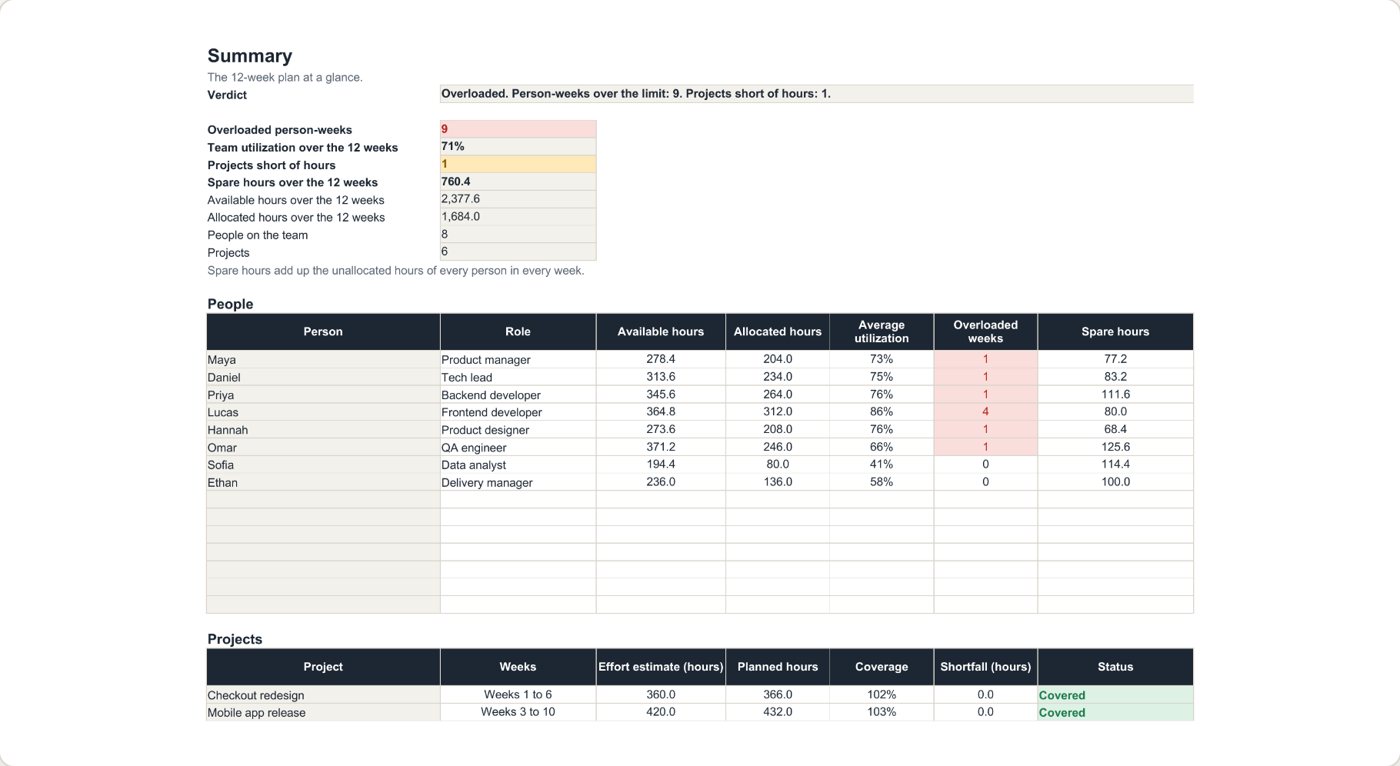
- Overload spotted before it costs you: every person, every week, in color.
- Projects at risk flagged early: hours planned against the estimate.
- Real capacity, not contract hours: days off, meetings and admin are taken out.
The details
- Inside
- Up to 15 people and 12 projects over 12 weeks.Days off entered week by week.Your own limits for what counts as overloaded and as spare.Four headline numbers and a color map of the team.
- In the download
- The Excel template, blank and ready to fill.The same template filled with an example, so you see what a finished one looks like.An app version that opens in your browser and works with no internet.
- Works with
- Microsoft Excel 2010 or later, on Windows or Mac.Google Sheets and LibreOffice.The app: Chrome, Edge, Safari or Firefox.
- Good to know
- Pay once. No subscription.Instant download.Fully editable. Change any label, add your logo, rework any formula.No macros and no add-ins.Your numbers stay on your computer.
- Getting started
- Watch the walkthrough: your first result, step by step.
The method behind it
More tools
Decision Matrix
A big choice ahead? Weigh every option on what matters and see which one stands up.
USD 19
Skills Matrix and Gap Planner
Where does your business depend on one person? See the skills at risk and who to train first.
USD 24
Startup Runway and Burn Calculator
How long will your cash last? See your runway in three scenarios and when to raise.
USD 29
Business Case Calculator
Is the investment worth it? See the return, the payback and the risk before you commit.
USD 39